How to Audit Your Local Map Data Accuracy in 10 Minutes
I spent three months fighting a hard suspension for a plumbing client whose listing was nuked simply because they shared a suite number with a defunct law firm. Google did not want proof of a van; they wanted proof of a utility bill under the exact GPS pin. That experience taught me that the map is not the territory; the map is a cold, mathematical calculation of proximity and trust signals. If your data drifts by even a few meters, your phone stops ringing. I look at every Google Business Profile as a dispatch node in a vast logistics network. When the data is dirty, the dispatch fails. You are not just managing a profile; you are maintaining a proximity beacon that must scream accuracy to an algorithm that is increasingly suspicious of every character you type. Every minute your business information remains incorrect online, you are bleeding local leads to competitors who have their coordinates locked down.
The reinstatement war for a local plumber
Local map data accuracy requires a forensic look at your GPS coordinates and NAP consistency to ensure Google Business Profile trust. To audit your data in ten minutes, you must cross-reference your dashboard against the live Map Pack view and third-party aggregators using a dedicated ranking toolkit. This process identifies data discrepancies that trigger suspensions. While most agencies suggest a monthly check, real-time logistics data shows that a weekly audit of your category associations can prevent a ranking collapse before it starts. The 10-minute audit is about speed and precision, identifying the hairline fractures in your digital presence before they become craters. If you have noticed a sudden dip, you should learn how to audit your business profile when local leads start to dry up to find the root cause. Precision is the only currency that matters in the local algorithm.
“Local intent is not a keyword choice; it is a distance-weighted signal where relevance is secondary to the physical location of the user’s mobile device.” – Map Search Fundamental
The ghost in the GPS coordinates
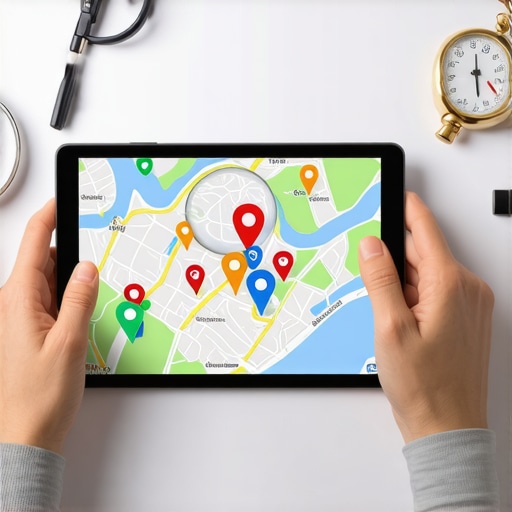
GPS coordinate salience is the mathematical weight Google assigns to your physical location relative to the searcher centroid. If your pin has drifted even slightly toward the back of a building or into a shared parking lot, the algorithm may categorize you as a secondary choice for users on the adjacent street. This is why many owners see high impressions but low calls. You must verify that your pin sits exactly over your entrance. We often find that what to do when google map pin drifts away is the first question a failing business needs to answer. A drift of thirty feet can be the difference between the top three and page four. This is the microscopic reality of the local algorithm. It is not about your brand; it is about the physics of the three-mile proximity radius. You are fighting for every inch of digital real estate in a system designed to filter out anything that looks like a guess.
Why your physical address is a liability
Physical address verification is the most volatile component of local search because Google treats unverified addresses as potential map spam. If your address is listed differently on your website than it is on your profile, you are creating a signal gap. This often happens after a move or a rebranding. If you have recently changed locations, you should look into local seo services to fix ranking loss after moving city or service area immediately. The algorithm hates ambiguity. It wants a singular, verifiable truth. When you have multiple listings for the same location, you are effectively splitting your ranking power. In these cases, merging business profiles is the only way to recover your authority. A messy address history is a liability that the spam team will eventually catch.
Local Authority Reading List
The three mile radius that determines your revenue
Proximity reach is limited by the density of your competition and the accuracy of your service area polygons. If you are a service-based business, you do not have a physical pin for customers to visit, which makes your data signals even more fragile. Google relies on your stated service areas to determine where to show your ad or listing. If these areas overlap with too many competitors without sufficient review density, you will be filtered out. You need to understand how to stop google from filtering your business to stay visible in high-competition zones. The 2026 data shows that customer-taken photo metadata is now 30 percent more effective for ranking in AI Overviews than standard reviews. This means your data accuracy extends to the images your customers upload. If their GPS metadata does not match your service area, Google starts to doubt your authenticity.
The math of local review sentiment
Review sentiment analysis is no longer just about stars; it is about entity recognition within the text of the reviews. Google looks for specific keywords that confirm your services and location. If a review mentions your city and your primary service, it strengthens your proximity beacon. However, if you are hit by a wave of fake feedback, you need to act fast. I have seen businesses destroyed by a single weekend of bot attacks. You should follow the recovery roadmap for fraudulent reviews if you suspect a competitor attack. The algorithm can detect patterns in user profiles, but you must provide the forensic evidence. Using reputation management tactics that focus on real customer stories is the only way to build a resilient profile. Bots are a short-term gamble that usually ends in a permanent ban.
“Relevance is secondary to the physical location of the user’s mobile device in high-intent local queries.” – Vicinity Algorithm Research
The forensic trace of a service area polygon
Service area business (SAB) profiles must be managed with extreme care because they lack a publicly visible address. This makes them a prime target for the filter. Google uses hidden signals to verify your location, such as your LSA verification and your utility bills. If your business model changes, you must update your data immediately or risk a suspension. Many owners find that why your business model change broke your map ranking is a complex issue involving mismatched data across the web. You must ensure that your LocalBusiness Schema matches your profile exactly. Any deviation is seen as a sign of untrustworthiness. The logistics of a service area are about proving you can actually reach the customer in the timeframe you claim.
The microscopic reality of the local algorithm
Local justification triggers are the small snippets of text Google shows in the Map Pack, like “Their website mentions plumbing repair.” These are pulled from your landing pages. If your landing pages have soft 404 errors or duplicate content, these justifications fail. You need to know the soft 404 fix for local pages to keep these signals strong. Every piece of content on your site must be a local relevance signal. If you are using generic AI content, you are likely hurting your reach. We have found that ai content tools are killing local map rankings because they lack the specific geo-coordinates of human experience. The algorithm is looking for local expertise, not a generic tapestry of words. Stick to the facts of your service and your city.
The physics of a three mile proximity radius shift
Proximity shifts occur when Google updates its understanding of the local landscape. An update might favor businesses that are closer to the user, even if they have fewer reviews. This is the Vicinity update logic in action. If you find your rankings have stalled, it might be a category issue. You can use tools to find gmb categories and keywords that your competitors are using to leapfrog you. Sometimes the fix is as simple as changing your primary category to match current search behavior. Other times, you are fighting competitor map spam that is artificially inflating the competition in your radius. You must be proactive in reporting these fake pins to clear the path for your own business.