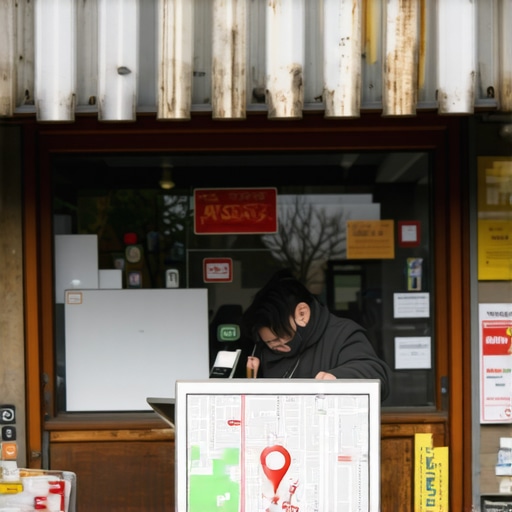
Why Your Business Disappeared From the Map and How to Get the Pin Back
It is the phone call every business owner dreads – or rather, it’s the phone call that never comes. You wake up on a Tuesday morning, check your dashboard, and realize the steady stream of leads has evaporated. You search for your business name on Google Maps, and where your red pin once stood as a beacon of local authority, there is nothing but empty gray space. Your business hasn’t just dropped in rank; it has vanished from the digital landscape entirely. This is the “Panic Moment,” and for many, it feels like their physical storefront has been bulldozed overnight.
As a Local SEO consultant and Google Business Profile (GBP) Product Expert, I view these disappearances not as a marketing hiccup, but as a critical infrastructure failure. In 2025 and 2026, your map pin is the foundational pipe through which your revenue flows. Recent data from WebSEOSG indicates that GBP signals now account for approximately 27-32% of total ranking influence in the local pack. When that pin disappears, nearly a third of your visibility collapses instantly. My perspective is simple: if your foundation is broken, your business is effectively invisible. Reclaiming your pin requires more than a support ticket; it requires a strategic reconstruction of your digital presence.
The Anatomy of a Disappearing Act: Why Profiles Vanish
Understanding why a profile vanishes is the first step in the diagnostic process. In my experience, profiles don’t disappear at random; they are removed due to specific triggers within Google’s increasingly sensitive spam-detection algorithms. The most common culprit is the dreaded “Hard Suspension.” This occurs when Google removes your profile from public view entirely because it believes the listing violates core terms of service. This is distinct from a “Soft Suspension,” where you lose access to manage the profile, but the pin remains visible to the public.
Beyond suspensions, we are seeing a rise in “verification drops.” This happens when an algorithm update triggers a re-verification requirement, often due to a perceived change in business location or category. However, one of the most frustrating phenomena is the “Ghost Pin” glitch. This is a technical state where the profile remains “Verified” in the merchant dashboard but fails to render on the front-end map. Research shared on the Local Search Forum suggests that a primary cause for this is “Primary Owner Account Migration.” If you recently changed the primary owner email or migrated your account to a new workspace without following specific protocols, Google’s security filters may flag the listing as a high-risk entity, effectively “shadow-banning” the pin while you wait for manual review.
To determine if your disappearance is a technical glitch or a policy violation, you must perform a deep dive into your data integrity. Using a google business profile audit tool is essential here to identify discrepancies between your stated address and the underlying coordinates Google has cached. If you’ve recently changed your business name, address, or phone number (NAP) without updating your secondary citations, the resulting data “noise” can lead to an algorithmic delisting. For more on the recovery process, see our guide on How We Recovered a Suspended Profile Without Waiting on Support Tickets.
The Reinstatement Roadmap: A Step-by-Step Recovery
Navigating the 2025/2026 reinstatement process is significantly more complex than it was just two years ago. Google has moved toward a “Evidence-First” model. In the past, a simple appeal might suffice; today, you must provide a comprehensive dossier of your business’s physical existence before a human reviewer will even look at your case. If your pin is gone, follow this technical roadmap to reclaim your local authority.
- Step 1: The Integrity Audit. Before submitting an appeal, ensure your profile perfectly matches your legal documentation. Does your business name on the profile match your tax ID? Does the address match your utility bills? Even a missing “Suite #” can result in a rejected appeal.
- Step 2: Evidence Gathering. You need at least three forms of high-authority evidence. I recommend a recent utility bill (water, gas, or electric), a business license, and a video walk-through of your location that shows the permanent signage and the interior of the workspace.
- Step 3: The Formal Appeal. Use the official Google Business Profile Reinstatement tool. Be concise. State the facts: “Our business is a legitimate local entity at [Address]. We have attached our business license and utility bill as proof of occupancy.”
- Step 4: The Waiting Game. Do not submit multiple tickets. This resets your position in the queue. In the 2026 landscape, the “New Reinstatement Process” utilizes AI for initial screening; if your evidence is high-resolution and clearly matches your NAP, the AI can often fast-track your approval.
While waiting for reinstatement, many businesses find success by using specialized local seo software to clean up their broader citation network. If Google’s crawlers find conflicting information on Yelp, Bing, or industry-specific directories during the review period, it can derail your recovery. You are essentially in a “court of digital law,” and your evidence must be beyond reproach. For those looking to maximize their impact once they return, check out 3 Specific Moves Map Optimization Pros Use to Increase Interaction Rates.
Beyond Reinstatement: Solving the “Ghost Pin” and Proximity Filters
Sometimes, your profile is “Verified” and “Live,” yet you still aren’t showing up for your primary keywords. This is the “Ghost Pin” effect, and it is often caused by the “Proximity Filter.” Google’s goal is to provide the most relevant local result. If your business is located in a high-density area (like an office building with ten other lawyers), Google may “filter” your pin out to avoid cluttering the map with redundant services. This isn’t a suspension; it’s an optimization failure.
To beat the proximity filter, you must dominate the “Big Three” pillars of the local algorithm: Proximity, Relevance, and Prominence.
Proximity is the distance from the searcher. While you can’t move your building, you can influence Relevance by ensuring your GBP categories and services are hyper-specific. Prominence is essentially your “digital fame” – the strength of your backlink profile and the volume of your reviews. If a competitor is closer to the searcher but you have significantly higher prominence, Google will often “reach out” and pull your pin onto the map over the closer competitor.
If you suspect you are being filtered, you may need a professional google maps ranking service to help boost your prominence signals. This involves more than just getting reviews; it requires building local entity signals through geo-tagged images and localized content that proves to Google you are the most relevant authority for that specific coordinate. You can learn more about this in our deep dive on How Mappack Pros Fix the ‘Ghost Pin’ Glitch That Hides Your Store.
Future-Proofing for 2026: AI Agents and Spatial Data
As we move into 2026, the reasons for a disappearing pin are becoming increasingly technical. We are now dealing with “AI Agent Search Bias.” Modern search is no longer just a user typing into a bar; it is an AI agent (like Gemini or GPT-Search) curating a “perfect” answer. If your profile lacks structured spatial data, these AI agents may simply skip your business because they cannot verify your “spatial accuracy.”
Two new concepts are dominating the 2026 landscape: “Satellite Drift” and “Indoor-Mesh Ranking.” Satellite Drift occurs when Google’s coordinate mapping for a specific block shifts, causing businesses to appear as if they are in the middle of a street or in a different building. This “drift” can trigger an automatic removal of your pin for safety reasons. Furthermore, “Indoor-Mesh Ranking” is now taking into account how deep your office is within a building. If you are on the 10th floor of a skyscraper, your signal might be weaker than a ground-floor competitor unless you have optimized your indoor spatial signals.
To combat these issues, you need advanced local seo ranking tools that can monitor your “Temporal Search Fixes” – essentially ensuring your pin remains anchored even as the underlying map data evolves. We are moving toward a world where “haptic search signals” (how users interact with your pin on mobile devices) influence visibility more than keywords. Future-proofing means building a profile that is so data-rich that an AI agent cannot ignore it. For a look at what’s coming next, read How Mappack Pros Beat the 2026 AI Agent Search Bias.
Industry-Specific Recovery Tactics (Contractors, Lawyers, Med Spas)
The “Pin Drop” phenomenon doesn’t affect every industry equally. Some niches are under much higher scrutiny due to a history of lead-generation spam.
- Contractors (Roofers, Plumbers, HVAC): These businesses often face “Service Area Business” (SAB) suspensions. If you don’t have a physical storefront but use a home address, Google is incredibly quick to hide your pin if you overlap too closely with a competitor’s service area.
- Lawyers: Legal profiles are often targeted by “suggested edits” from competitors. If a competitor suggests your office is “permanently closed,” and you don’t respond to the notification within the grace period, your pin will vanish.
- Med Spas and Aesthetic Clinics: These businesses often suffer from “Category Conflict.” If you list too many medical services that require specific licensing without verifying those licenses with Google, your profile may be flagged for a medical review.
Each of these industries requires a tailored approach to reclamation. For contractors specifically, understanding the 10-mile radius rule is vital. See our article on Why Roofing Pins Vanish After 10 Miles and How to Reclaim the Service Area for more niche-specific advice.
Conclusion: Reclaiming Your Local Authority
Visibility on Google Maps is not a “set it and forget it” achievement; it is a constant battle of signals. Whether your business disappeared due to a hard suspension, a proximity filter, or the new challenges of 2026 AI search bias, the solution remains the same: you must prove your authority through clean data and overwhelming evidence of relevance. Your map pin is the digital front door to your business. If it’s missing, your customers are walking into someone else’s store.
Before the next algorithm update rolls through, I encourage you to optimize google business profile signals and perform a deep audit of your current standing. Reclaiming your pin is just the start; keeping it there requires a commitment to maintaining your digital infrastructure. Don’t wait for the calls to stop – ensure your foundation is solid today.